How to Find Birth Certificates for Ancestors on FamilySearch
Birth records are one of the first places genealogists look when starting a family history search. They can confirm exact dates, full names, and even parents’ names. In this example, I’ll walk you through finding a birth record for my great-grandfather using FamilySearch—a free resource available to everyone. For records unavailable on FamilySearch find other sources in this post about Finding Genealogy Records.
Learn step-by-step how to find a birth certificate on FamilySearch, including search tips and filters to locate your ancestor’s vital records.
Step-by-step:
- Go to FamilySearch – Search Records.
- Enter the full name, estimated birth year, and location.
- Apply the filter for “Birth, Baptism, and Christening.”
- Review the matches and click into the one that matches known family details.
- Save the record to your tree and note the source.
Instructions with Images
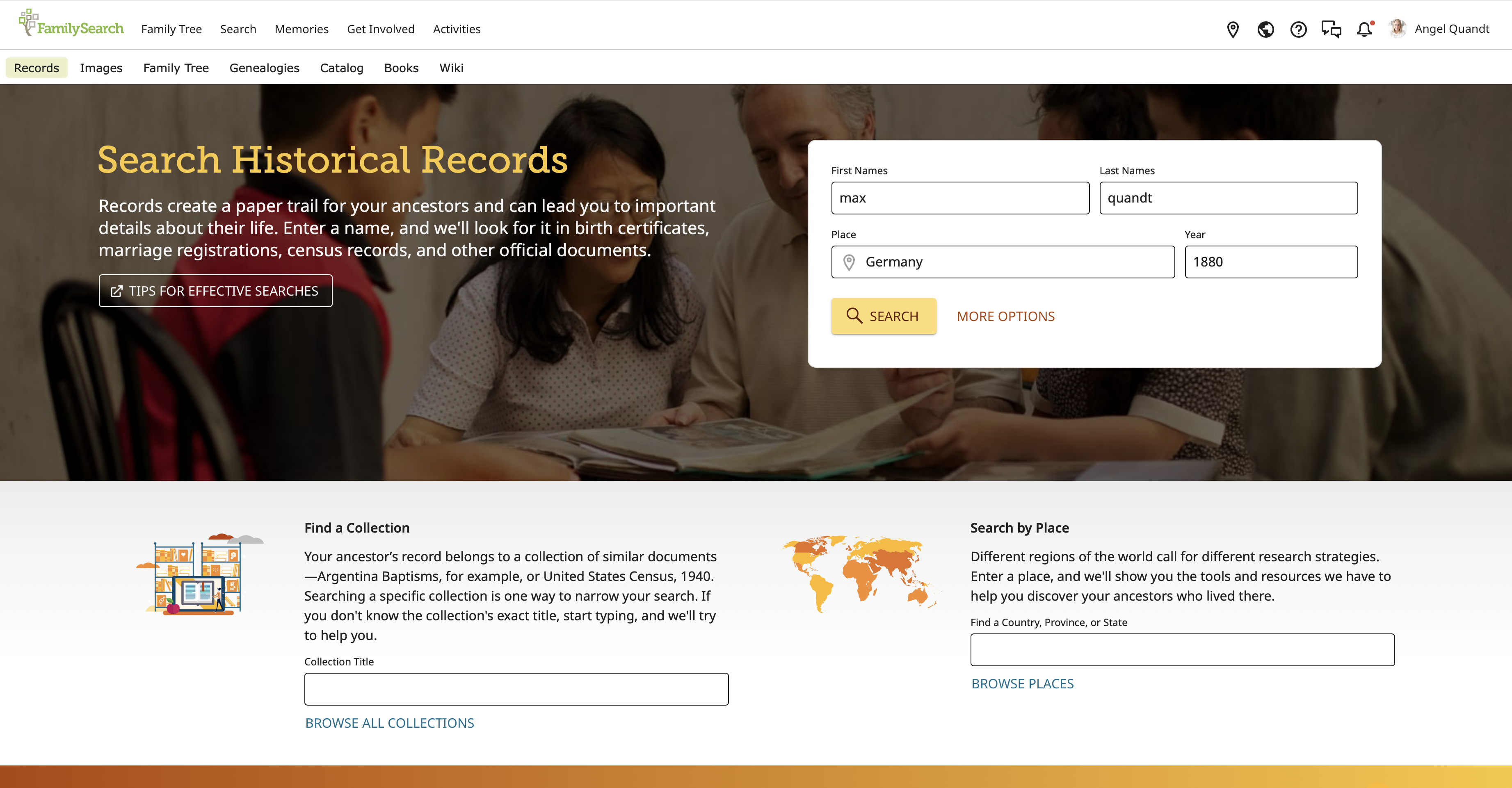
Go to FamilySearch – Search Records.

Enter the full name, estimated birth year, and location.
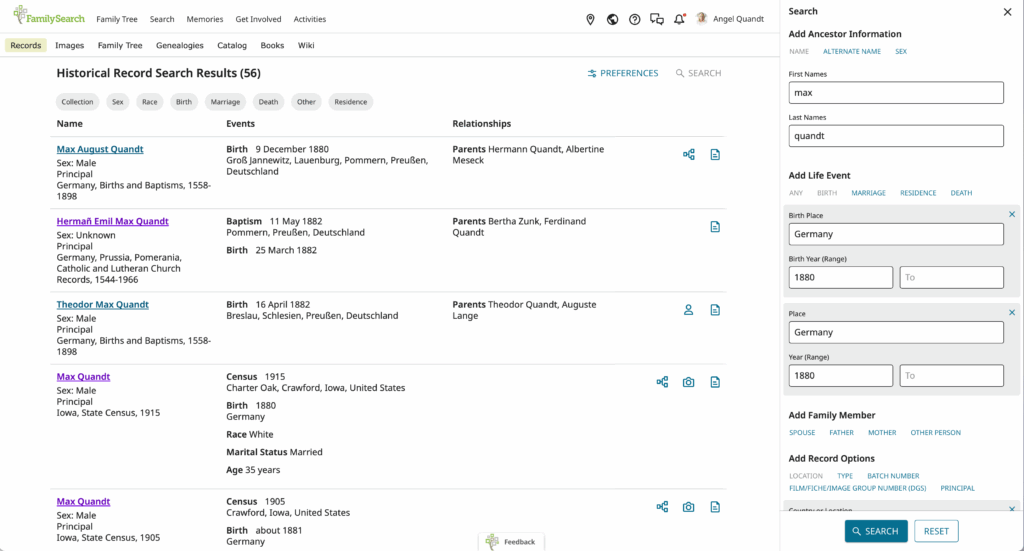
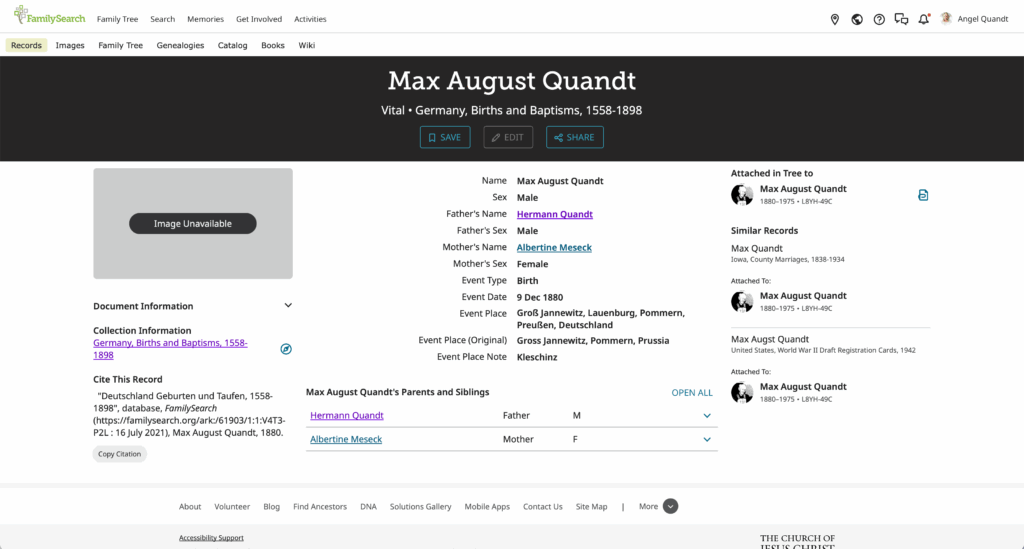
Apply the filter for “Birth, Baptism, and Christening” then review the matches and click into the one that matches known family details.
Save the record to your tree and note the source.
Tip: If you can’t find an exact match, try widening the search year range and removing middle names.
Related Post: Finding Your First Genealogy Records